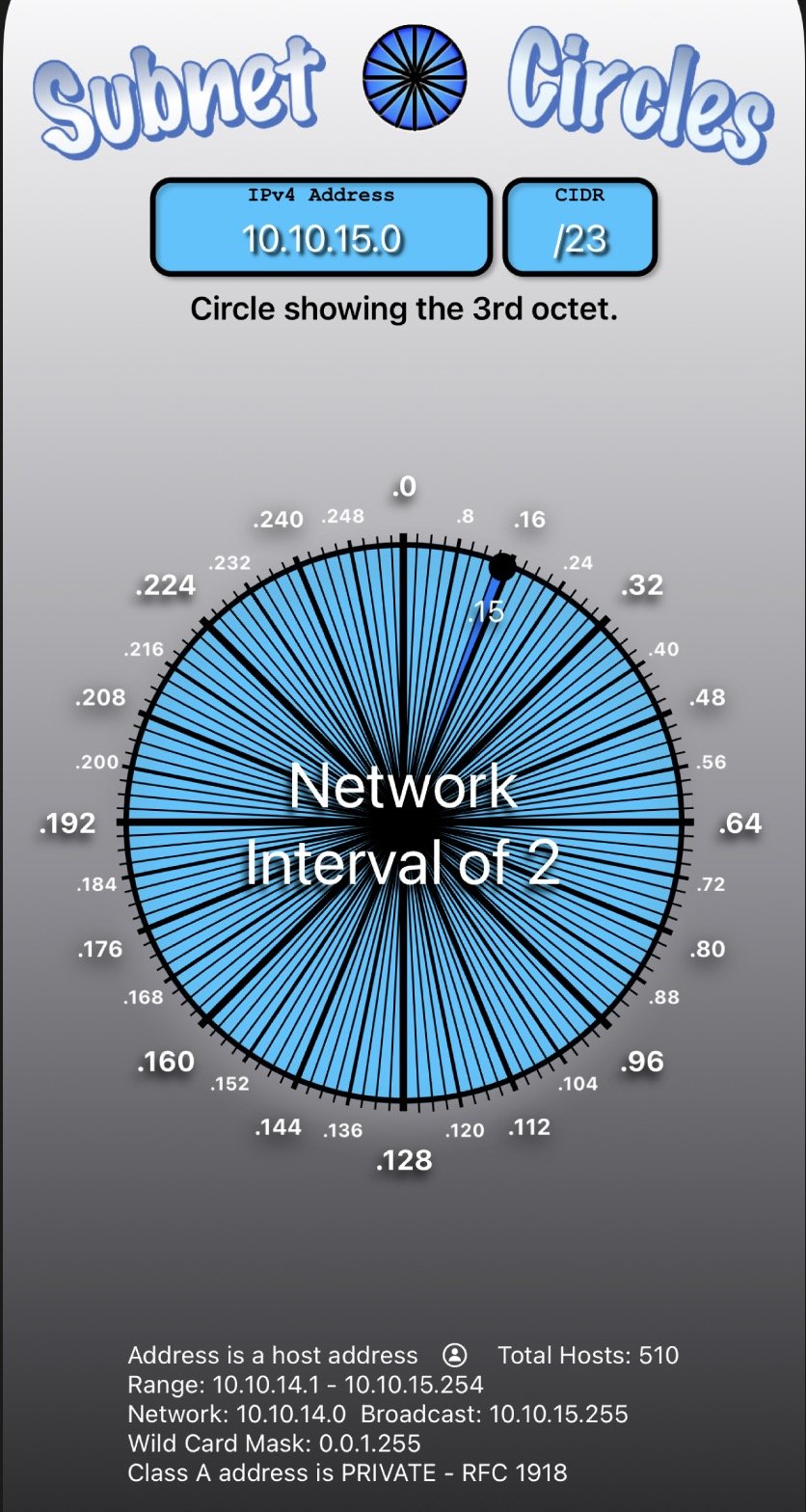
Navigating the intricate world of IP addressing, especially when designing or troubleshooting a network, often feels like a puzzle requiring advanced mathematics. But what if you could instantly decipher network details, calculate IP ranges, and segment your subnets with just a few clicks? That's precisely where IP Address Range & Subnet Calculators become indispensable tools, transforming complex manual calculations into swift, accurate insights for network professionals and enthusiasts alike.
At a Glance: Why You Need Subnet Calculators
- Instant Accuracy: Eliminate manual errors and get precise network details in seconds.
- Comprehensive Data: Receive a full breakdown, including network address, broadcast, usable IPs, and CIDR.
- Ease of Use: Simple interface; no registration or complex setup required.
- Crucial for Planning: Essential for network design, segmentation (VLANs), and IP allocation.
- Educational Aid: Helps clarify subnetting concepts by showing real-time results.
- Free & Accessible: Widely available online tools compatible with most devices.
The Unseen Backbone: Understanding IP Addressing
Every device connected to the internet or a local network has an IP address – its unique identifier. But these addresses don't just float in isolation; they're organized into networks and subnetworks (subnets) to ensure efficient communication and management. Manually carving out these subnets, determining usable IP ranges, and identifying network boundaries involves binary math, bit shifts, and a deep understanding of network masks. It's a task ripe for errors, especially in larger, more complex environments.
This is where a dedicated IP Subnet Calculator shines. It’s an online utility designed to demystify IP addressing and subnetting, providing all the critical information you need for network planning, troubleshooting, and grasping the fundamental architecture of IP networks.
How Subnet Calculators Transform Network Design
At its core, an IP subnet calculator takes an IP address and a desired network size (expressed as a subnet mask or CIDR prefix) and then rapidly computes all the related network parameters. Think of it as your personal network cartographer, mapping out the digital terrain in an instant.
Your Quick-Start Guide: Using a Subnet Calculator
Most subnet calculators follow a remarkably straightforward process, making them accessible even if you're relatively new to network administration.
- Input Your IP Address: Begin by entering the base IP address. This could be an IPv4 address (e.g.,
192.168.1.0) or, for more advanced tools, an IPv6 address (e.g.,2001:0db8::/32). - Define Your Network Size: Next, you'll specify how large or small you want your network segment to be. For IPv4, this often means selecting a network class (A, B, or C), choosing a subnet mask from a dropdown menu (e.g.,
255.255.255.0), or directly inputting a CIDR prefix (e.g.,/24). For IPv6, you'll typically input a CIDR prefix like/64. - Calculate: Hit the "Calculate" or "Check" button.
- Review Results: The calculator will then display a comprehensive set of network details tailored to your input.
This simple workflow replaces minutes, if not hours, of manual calculation and cross-checking, offering unparalleled speed and accuracy. For those delving deeper into network segmentation, understanding the fundamentals of how these tools work is invaluable. You might even find yourself reaching for a subnetting basics guide to truly master the underlying principles.
Deconstructing the Output: What Your Calculator Reveals
The real power of these calculators lies in the detailed results they present. Beyond just the network address, they offer a holistic view of your chosen subnet, often categorized into distinct information blocks.
The Subnet Block Details: Your Network's DNA
This section provides the most critical information about the specific IP range you've defined:
- IP: This is the original IP address you entered, serving as the starting point for the calculation.
- Netmask: A 32-bit number (for IPv4) that differentiates the network portion of an IP address from the host portion. A
255.255.255.0netmask, for example, indicates that the first three octets are for the network, and the last is for hosts. The length of this mask directly influences the number of available IP addresses and the number of potential subnets. - CIDR (Classless Inter-Domain Routing): This compact notation combines the IP address with a suffix indicating the prefix length (e.g.,
192.168.1.0/24). It's a more flexible and efficient way to represent IP address ranges than older classful methods. - Prefix Length: The numerical value after the slash in CIDR notation (e.g.,
24). It directly corresponds to the number of bits in the subnet mask dedicated to the network portion. - Network Address: This is the very first IP address in the calculated block. It uniquely identifies the subnet itself and cannot be assigned to any host device. It's often used for routing tables and network configuration.
- Broadcast Address: The very last IP address in the block. Any data packets sent to this address are received by all devices within that specific subnet. Like the network address, it cannot be assigned to a host.
- Block Size: The total count of IP addresses encompassed within the selected block. This includes the network address, broadcast address, and all usable IPs.
- First Usable IP: The first IP address within the subnet that can actually be assigned to a device (host). This is always the network address plus one.
- Last Usable IP: The last IP address within the subnet that can be assigned to a device. This is always the broadcast address minus one.
- Total Usable IPs: The total number of IP addresses available for assignment to devices or hosts within the subnet. This figure excludes the network and broadcast addresses.
Beyond the Block: Segmentation and Listing
Advanced calculators often provide additional views to aid in more complex network tasks:
- Network List: Imagine you have a large network and want to split it into several smaller, manageable segments. This feature shows how your input subnet can be further divided into smaller "chunks." It's incredibly useful for planning network segmentation, setting up VLANs, or managing different departments with dedicated IP ranges. Understanding network lists becomes paramount when designing scalable infrastructure, much like how you might use an advanced network segmentation guide.
- IP List: For detailed planning, especially for static IP assignments or reserving specific addresses, some calculators can even list every individual IP address within the defined subnet block. This granular view can be invaluable for meticulous network administrators. If you're looking for unique IPs, you might also find yourself checking out an Explore our IP Generator for custom needs.
Key Terminology: Speaking the Language of Subnetting
To truly leverage IP Address Range & Subnet Calculators, it's essential to grasp the core concepts they represent:
- Subnet Mask: A crucial 32-bit (for IPv4) or 128-bit (for IPv6) number. It acts like a stencil, indicating which part of an IP address identifies the network and which part identifies the specific device (host) within that network. A longer mask means you have fewer available host IPs but more potential subnets, allowing for more granular network division.
- CIDR (Classless Inter-Domain Routing): This isn't just a notation; it's a fundamental method for allocating IP addresses and routing packets efficiently. It uses an IP address followed by a prefix length (e.g.,
/24) to specify the network portion, replacing the older, less flexible classful addressing system. CIDR enabled the internet to scale beyond its initial design limitations. - Network Address: The designated first IP address of an IP subnet. Its sole purpose is to identify the entire subnet itself. It's never assigned to an individual device.
- Broadcast Address: The designated last IP address within an IP subnet. When a packet is sent to this address, all devices connected to that specific subnet receive it. Like the network address, it's reserved and cannot be assigned to a host.
- Usable IPs: These are the gold standard – the IP addresses within a given subnet that are actually available for assignment to your devices, servers, printers, and other hosts. They exclude the network and broadcast addresses.
The Undeniable Benefits of Embracing a Calculator
While the underlying math of subnetting is fascinating, its practical application often demands speed and zero error tolerance. This is where subnet calculators become indispensable.
- Speed and Accuracy: Manual calculations are time-consuming and prone to human error, especially under pressure. A calculator provides instant, error-free results, ensuring your network configurations are always precise.
- Comprehensive Details: It’s not just about one number. These tools provide a complete suite of network information, giving you a holistic view crucial for informed decision-making.
- Ease of Use: Forget complex formulas or arcane commands. With a user-friendly interface, you can get the information you need quickly, often without any registration or sign-up. This accessibility lowers the barrier to entry for managing network resources.
- Accessibility: Whether you're at your desk, on a tablet in the field, or using your smartphone, most online subnet calculators are highly compatible and free to use, making them a readily available resource.
- Educational Value: For those learning about networking, these calculators are powerful teaching aids. By inputting different IP addresses and subnet masks, you can visually observe how changes impact network and broadcast addresses, usable IP ranges, and overall block sizes, solidifying your understanding of subnetting principles. It's a practical way to reinforce theoretical knowledge, much like exploring resources on advanced network troubleshooting tips.
A Glimpse at Limitations: Not All Calculators Are Created Equal
While incredibly versatile, it's worth noting that some older or simpler subnet calculators might have specific limitations. The most common one is the lack of IPv6 support. Many tools were initially designed solely for IPv4 addresses, which have a different structure and addressing scheme than IPv6.
Always check if the calculator you're using explicitly states support for both IPv4 and IPv6 if your network environment requires it. The shift to IPv6 is ongoing, and ensuring your tools keep pace is vital for future-proofing your network designs. For deeper insights into IPv6, you might want to review an IPv6 essentials guide.
Practical Applications: When Subnet Calculators Save the Day
These tools aren't just for theoretical understanding; they are critical for real-world network management.
Designing New Networks
When you're building a network from scratch, whether it's for a small office or a large data center, you need to segment your IP space logically. Different departments, server racks, wireless networks, or guest networks often require their own dedicated subnets. A calculator helps you:
- Allocate IP Blocks: Determine appropriate subnet masks and CIDR prefixes to create subnets of the right size, avoiding wasteful IP allocation or running out of addresses prematurely.
- Prevent Overlap: Ensure that your planned subnets do not overlap, which can cause severe routing issues and network instability.
- Plan VLANs: If you're using Virtual LANs (VLANs) to segment traffic, each VLAN will typically have its own subnet. The calculator helps define these boundaries precisely.
Expanding Existing Networks
As your organization grows, so does its network. Subnet calculators help you:
- Add New Subnets: Quickly identify available IP space and define new subnets for new teams, services, or locations without disrupting existing infrastructure.
- Optimize IP Usage: Analyze current IP usage and see if existing subnets are over or under-provisioned, allowing for more efficient reallocation.
Troubleshooting Network Issues
Sometimes, network problems stem from incorrect IP configurations or misunderstandings of subnet boundaries.
- Verify Configurations: Quickly check if a device's IP address, subnet mask, and gateway fall within the correct network range.
- Identify Broadcast Domains: Understand where broadcast traffic will reach, which can be critical for diagnosing performance issues or security concerns.
- Pinpoint Misconfigurations: A mismatch in subnet masks between devices can isolate them from the rest of the network. A calculator helps visualize the correct boundaries.
Security and Segmentation
Proper network segmentation is a cornerstone of robust cybersecurity.
- Isolate Sensitive Systems: Create separate, tightly controlled subnets for critical servers or sensitive data to limit exposure in case of a breach.
- Control Traffic Flow: By defining precise subnet boundaries, you can implement firewall rules and access control lists (ACLs) more effectively, allowing or denying traffic between specific network segments.
Mastering Your Network Planning Toolkit
IP Address Range & Subnet Calculators are far more than simple conversion tools; they are powerful allies in network planning, troubleshooting, and education. By offering rapid, accurate, and comprehensive insights into IP addressing, they empower IT professionals and enthusiasts to design more robust, efficient, and secure networks.
The next time you're faced with the challenge of defining an IP range, segmenting a network, or simply trying to understand why two devices aren't communicating, turn to a subnet calculator. It's a small tool with a monumental impact, ensuring your network planning is always grounded in precision and clarity.